Sharing a Calendar (Inviting Members)
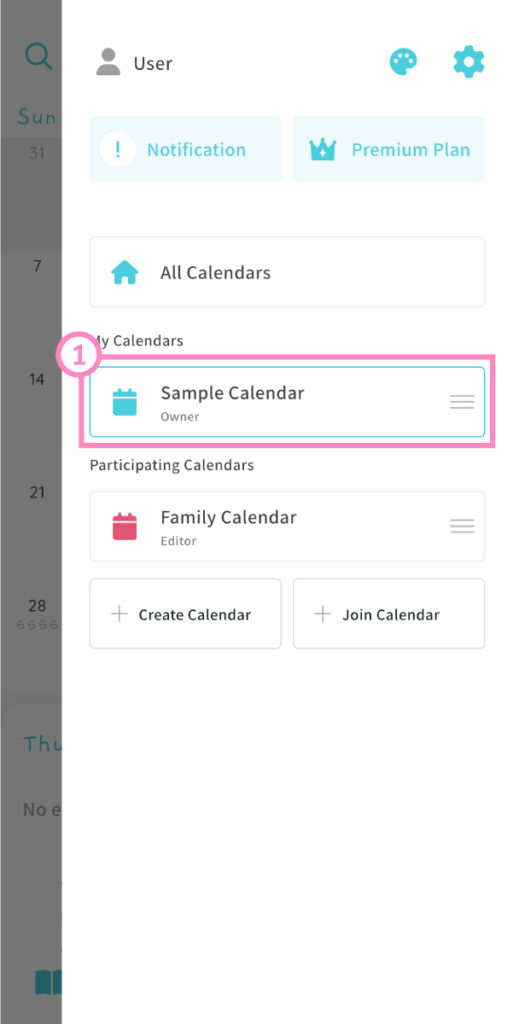
① From the menu, choose the calendar you’d like to share.
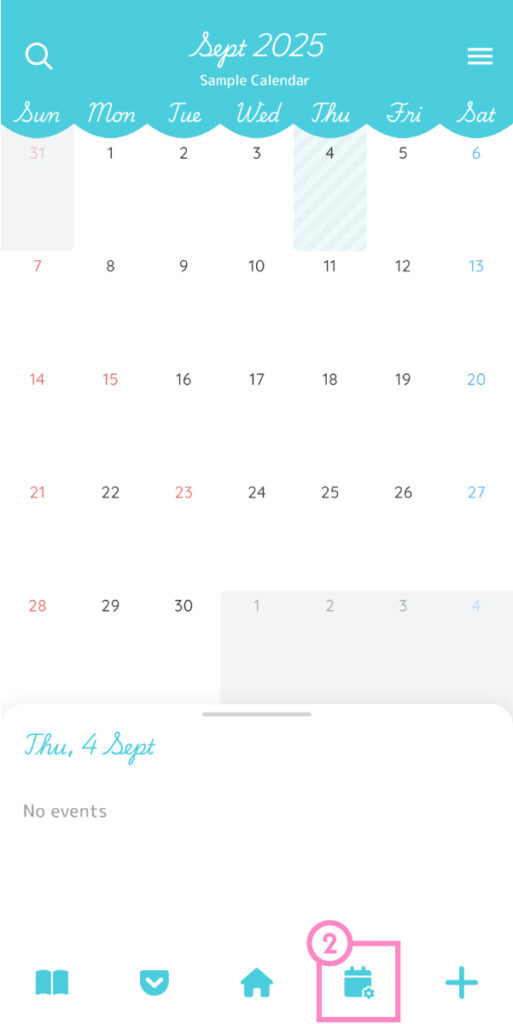
② On the calendar screen, tap the second icon from the right at the bottom to open Calendar Settings.
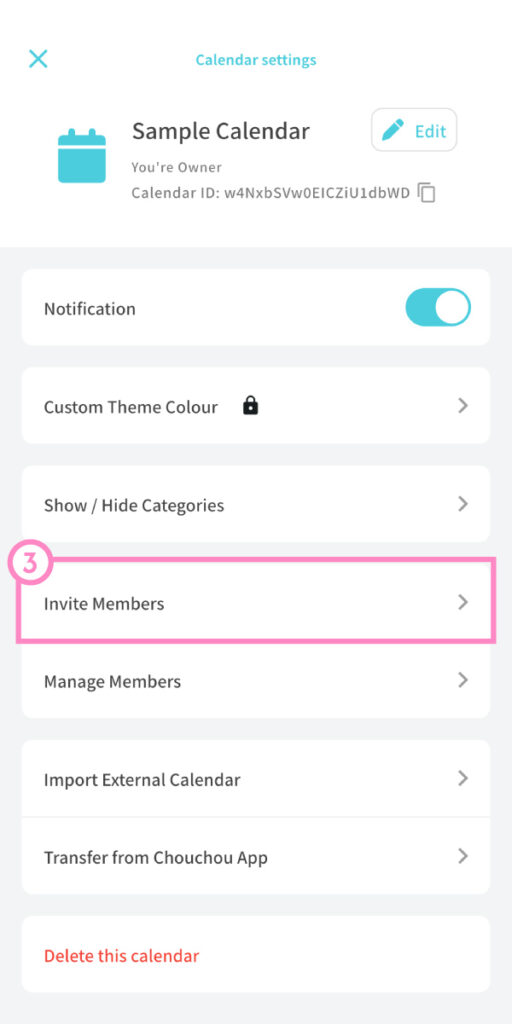
③ In the Calendar Settings screen, tap “Invite Members.”
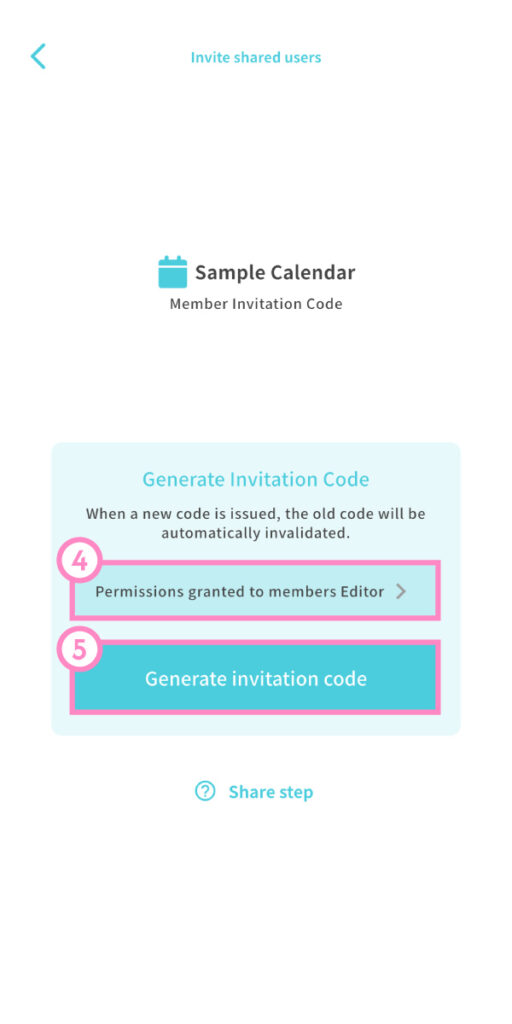
④ Choose the permission level you’d like to give the member. ⑤ Tap “Generate Invitation Code.”
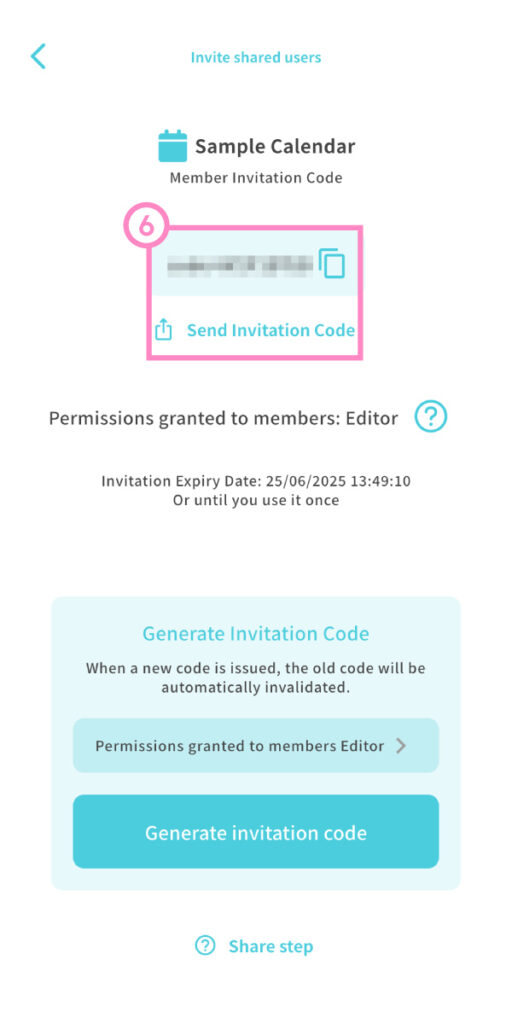
⑥ Copy the code and share it with your friend using your favorite messaging app or email.
When your friend downloads Biske and taps the invitation code, the Join Calendar screen will open. Once they tap Join, they’ll be added to your calendar.
Invitation Code Expiration
- Each code is valid for 24 hours only. After that, it will no longer work.
Inviting Multiple Members
- Each invitation code works for one person only.
- Creating a new code will automatically invalidate the previous one.
- To invite several people, wait until one person has joined before generating the next code.
Sharing Limits
- With the Free Plan, you can invite up to 2 members.
- With the Premium Plan, you can invite up to 15 members.