Member Roles and Permissions
There are four types of member roles in a calendar.
The user who owns the calendar is the Owner.
When inviting new members, the Owner can assign one of three roles: Admin, Editor, or Viewer. Together, these make up the four available roles.
You can see the differences in what each role can do in the table below.
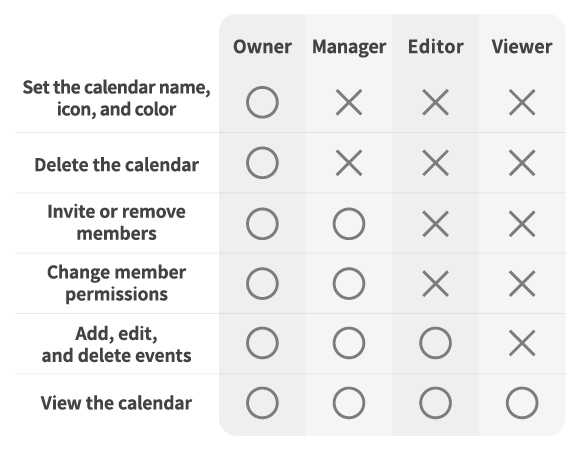
Note: This table is the same as the one shown in the Bisque app when you tap the “?” icon on the member invitation screen.